Getting started: the ticketing insights dashboard
Topics
The Audience Answers ticketing dashboard is where you'll find insights and data drawn from your organisation's ticketing system.
How to access the dashboard
- Head to audienceanswers.org and log in.
(If you don't have a personal log in set up, please contact us)
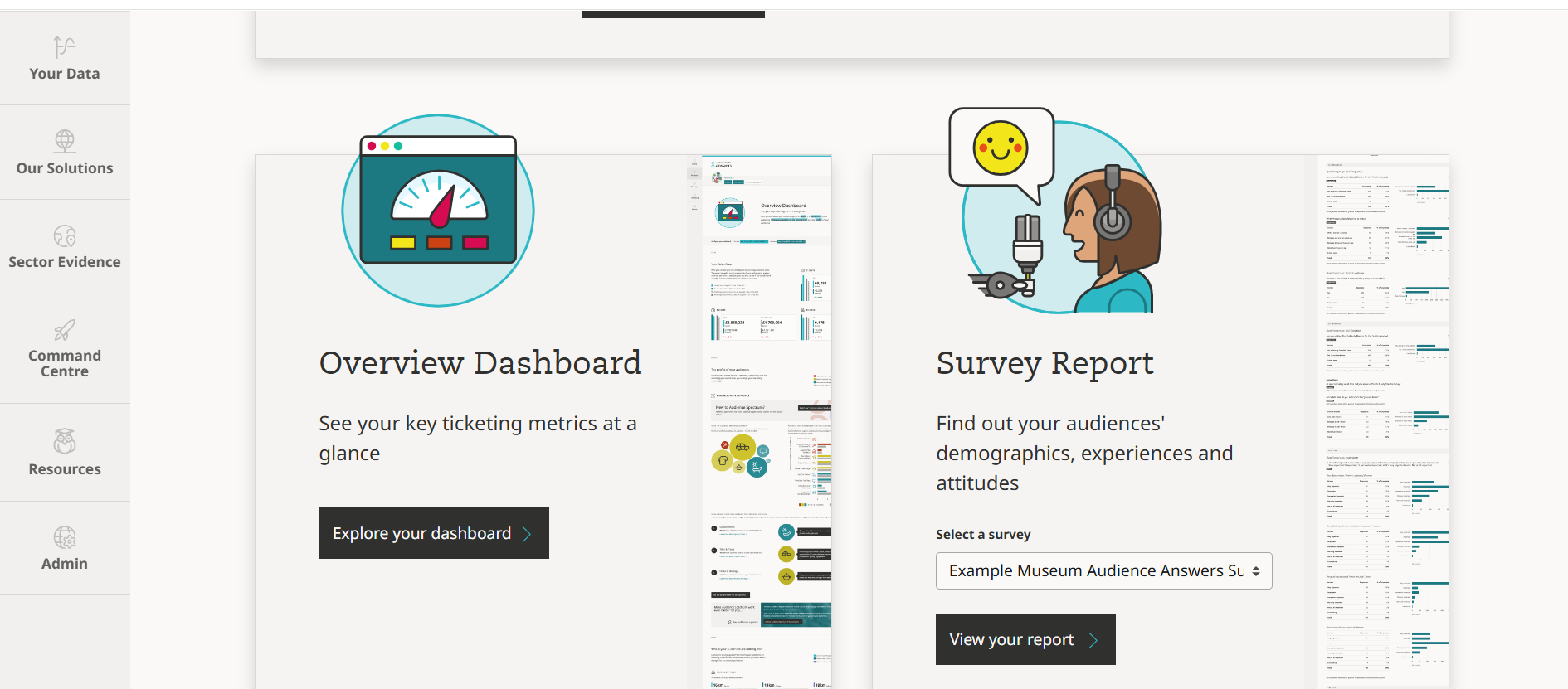
- Scroll about halfway down the page, and you'll find a section titled 'Overview Dashboard' - then click 'Explore your dashboard'
Setting the date range
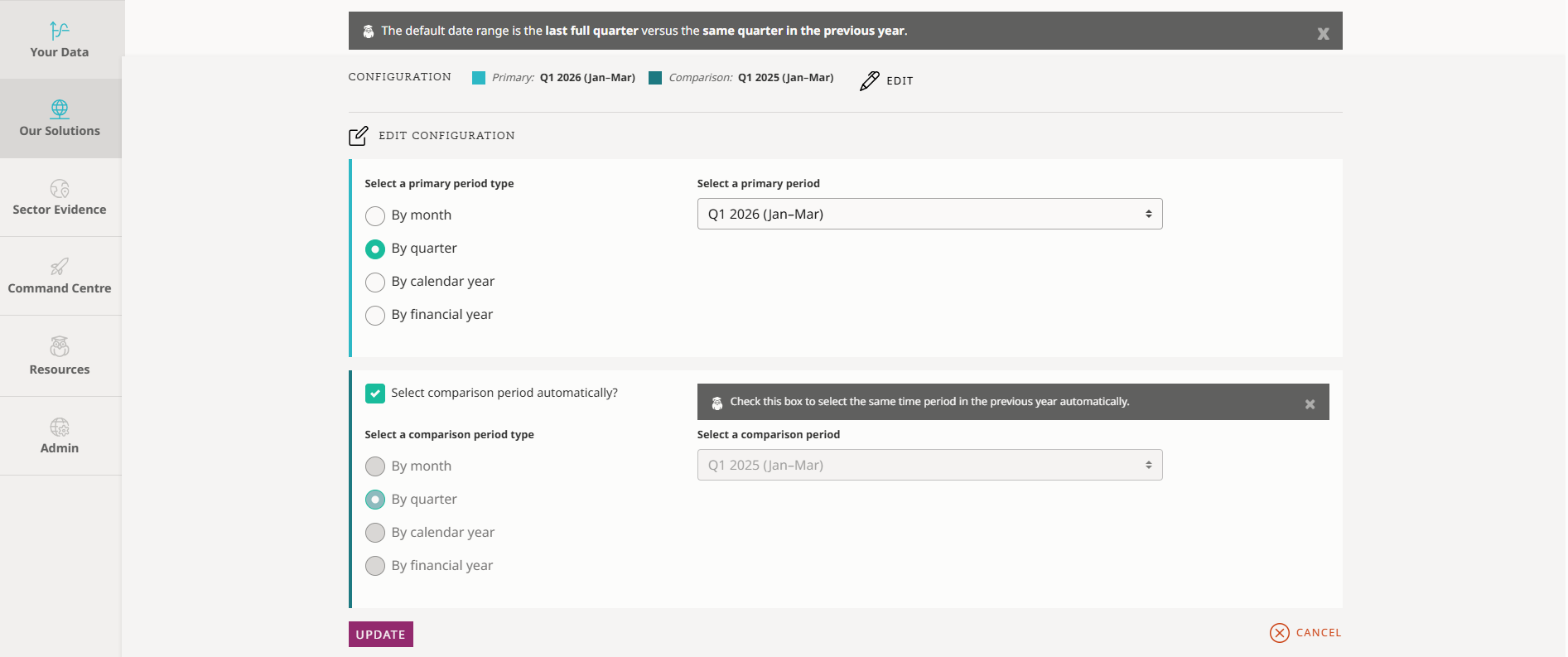
At the top of the page, you'll find the option to edit the date range to view metrics for: month, quarter, calendar year or financial year.
Please note, this is the date an event or performance took place, rather than the date a booking was made.
Sales data
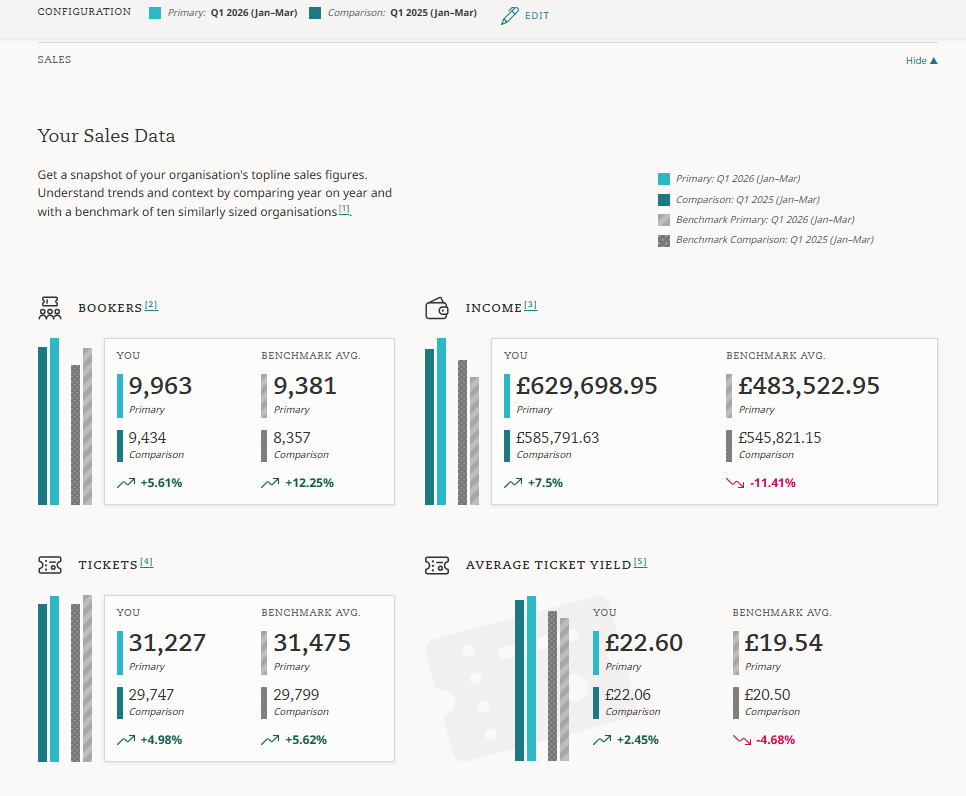
Four insights are available in this section:
- Number of bookers
- Income
- Number of tickets
- Ticket yield
For each, your primary date period's data is displayed compared to a previous date range (as set earlier).
Your data is also compared to a benchmark of ten anonymous, similarly sized cultural organisations from across the UK.
Place
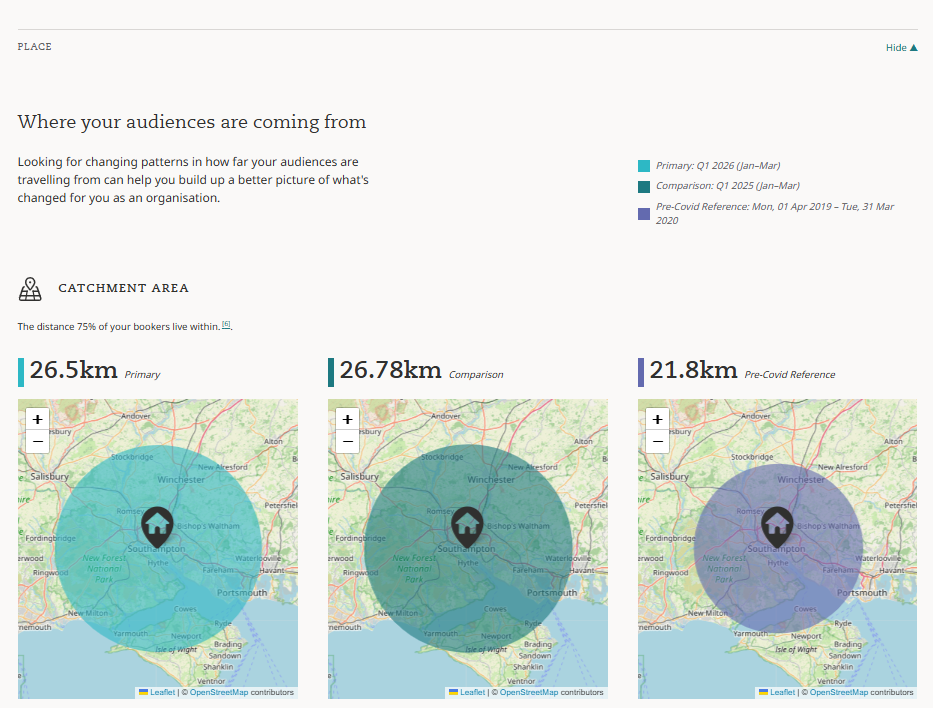
Continuing down the page, you'll find your booker catchment area mapped for your primary and comparison date ranges. 'Catchment area' here means the area in which 75% of your bookers live.
Profile
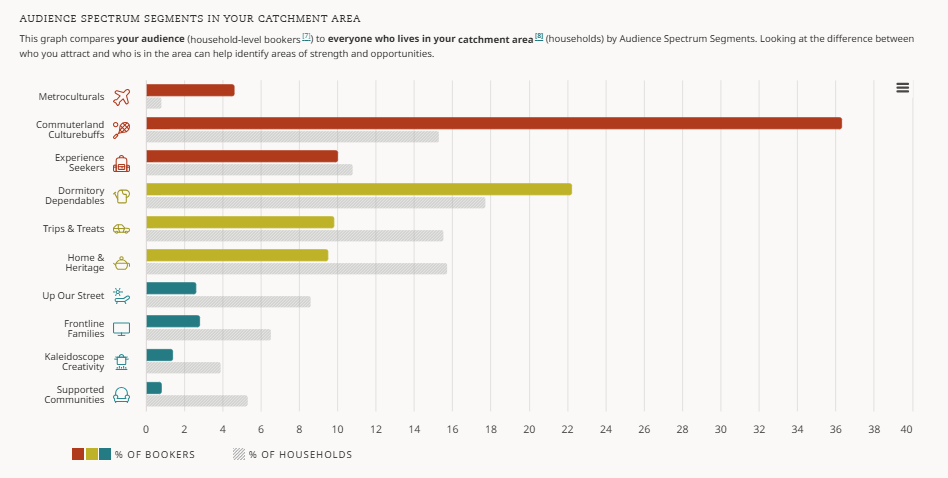
The final section of your dashboard explores the Audience Spectrum profile of your bookers.
First, you'll find a chart which compares the profile of your audiences, to the profile of the general population in your catchment area.
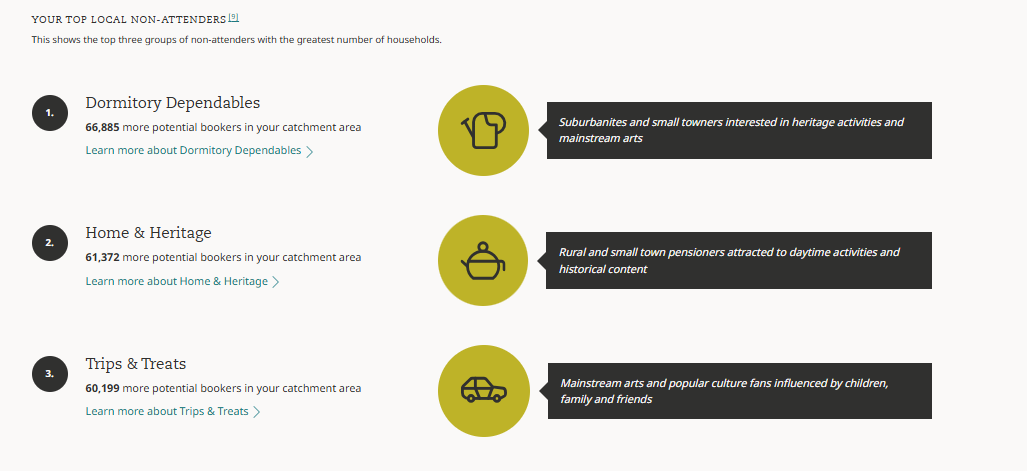
You'll also find some insights into the top segments in your area who are currently not attending - this could give some useful pointers for your audience development strategy.
You can watch a short tour of the ticketing insights dashboard here:
Related Questions
- I have a new team member - how can I give them access to our Audience Answers dashboard?
- How do I access my organisation's Audience Answers dashboard?
- How do I find out the Audience Spectrum profile of my audience?
- How do I navigate the Audience Answers dashboard?
- Getting started: the survey dashboard
- Do I still need to complete production categorisation in Audience Answers?
- How can I export data from the charts in my Audience Answers reports
- Which ticketing systems is Audience Answers compatible with?
- How should my ticketing data files be formatted?
- How has my ticketing overview dashboard changed? (October 2025 update)
- My organisation has multiple spaces / locations. How could I compare audiences for each?